GAS (Gameplay Ability System)
Core GAS components in Echo Quest, technical rationale, and the complete dodge-system data flow
This chapter introduces the core components of GAS and the rationale behind using it. It then uses the dodge system as a complete case study, tracing the full data flow from player input to ability termination.
1.1 Core GAS Components
Section titled “1.1 Core GAS Components”| Component | Responsibility | Example |
|---|---|---|
| GameplayAbility (GA) | A container for gameplay logic. It activates when trigger conditions are met, such as a Tag or input binding, and executes Blueprint logic. | GA_Dodge, GA_LightAttack |
| GameplayCue (GC) | Presentation-only feedback such as VFX, SFX, and camera shake, triggered by Tags. | dodge trail VFX, hit blood splash |
| GameplayEffect (GE) | Attribute and state layer. It modifies Attributes, grants or removes Tags, and configures Cost / Cooldown behavior. | GE_Cost_Dodge, GE_Damage_Melee |
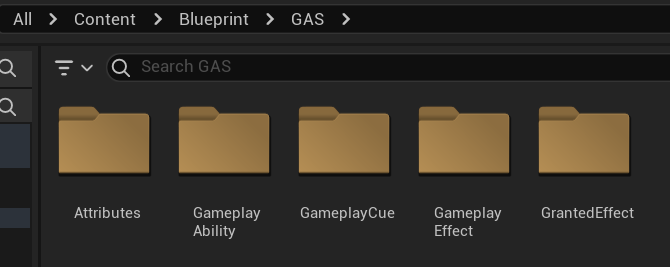
GAS-related plugins: GameplayAbilities (built-in engine module), ComboGraph, GAS Companion
1.2 Why Use GAS?
Section titled “1.2 Why Use GAS?”- Modularity and decoupling: GA is responsible only for logic flow and state machines, GE only for numeric changes and constraints such as Cost / Cooldown, GC only for presentation, and Attribute Sets only for base character attributes.
- Tag-based state management: replaces “Bool variable hell” with a scalable way to manage triggering, blocking, and state relationships.
- Complex attribute calculation through Attribute Sets: GEs can add, multiply, or override base attributes at any time, avoiding the need to restructure gameplay algorithms when formulas evolve.
- Networking and prediction: in multiplayer games, GAS provides strong support for client-side prediction and synchronization of
GameplayAbilityactivation,Attributevalues such as Health and Mana, andGameplayEffectstate.
This separation also becomes the foundation for later systems such as ComboGraph, Hit Reaction, and enemy AI hit states to share the same event chain.
1.3 Dodge as a GAS Implementation Example
Section titled “1.3 Dodge as a GAS Implementation Example”1.3.1 Defining Base Character Attributes — GAS Attributes
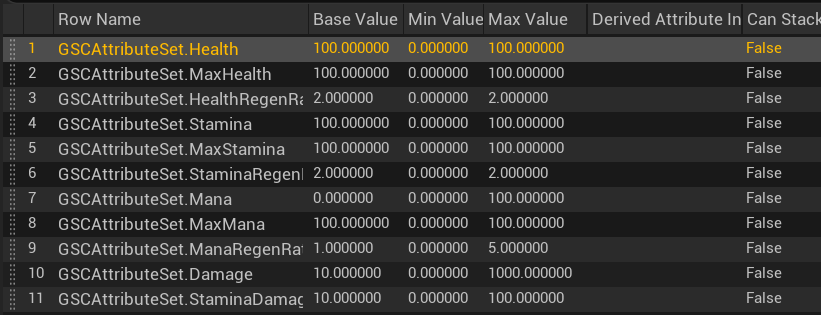
Section titled “1.3.1 Defining Base Character Attributes — GAS Attributes”Dodge consumes stamina, which is one of the character’s base attributes. The Attribute Set stores player and enemy base data such as Health, Stamina, and Mana in a DataTable. This makes the system easy to maintain and extend. For example, if poise or stagger resistance needs to be added later, it can be configured centrally in the same data layer.
1.3.2 Taking Over Player Input — GSC_InputBinding
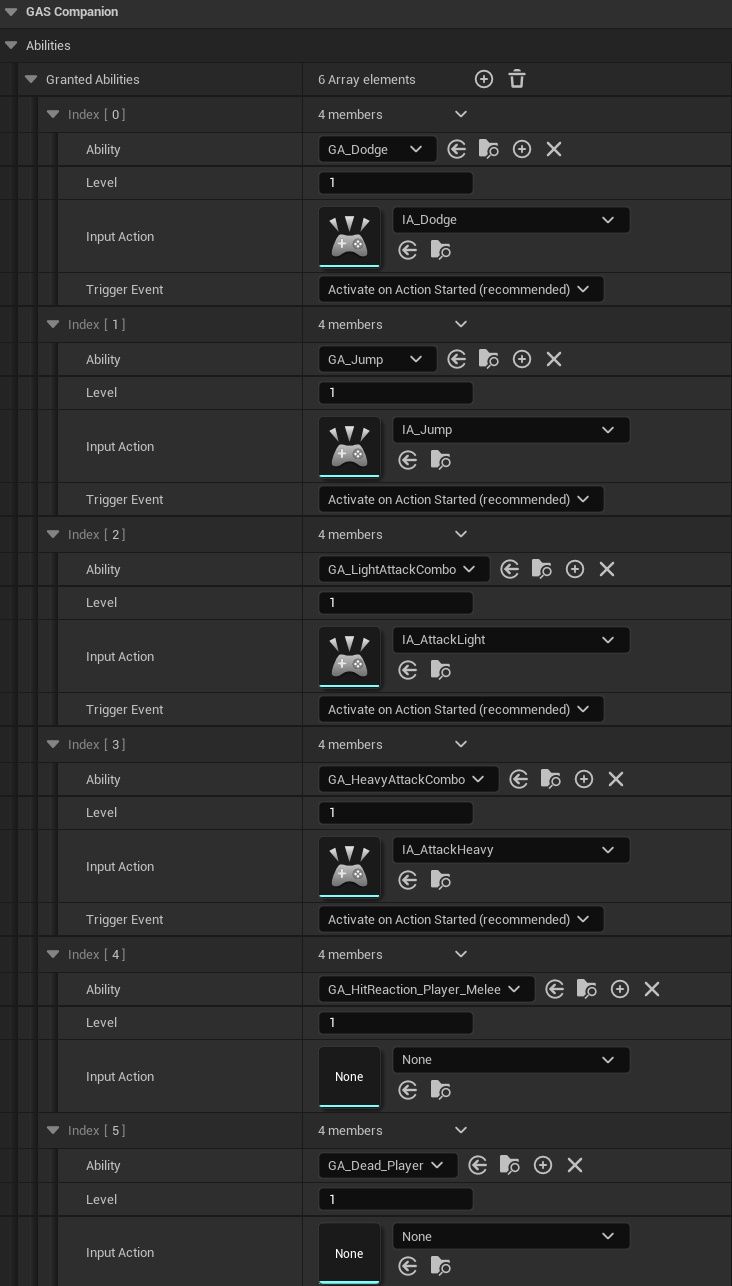
Section titled “1.3.2 Taking Over Player Input — GSC_InputBinding”Player input is migrated into GSC_InputBinding, which provides high-level input management and assigns a corresponding Gameplay Tag to each character state.
When the player presses Shift (IA_Dodge), the logic inside GA_Dodge runs. In this project, all gameplay action inputs, such as attack, dodge, and skill activation, trigger a corresponding Gameplay Ability. The GA then owns the concrete logic implementation and state validation.
1.3.3 Executing the Dodge Logic in GA_Dodge
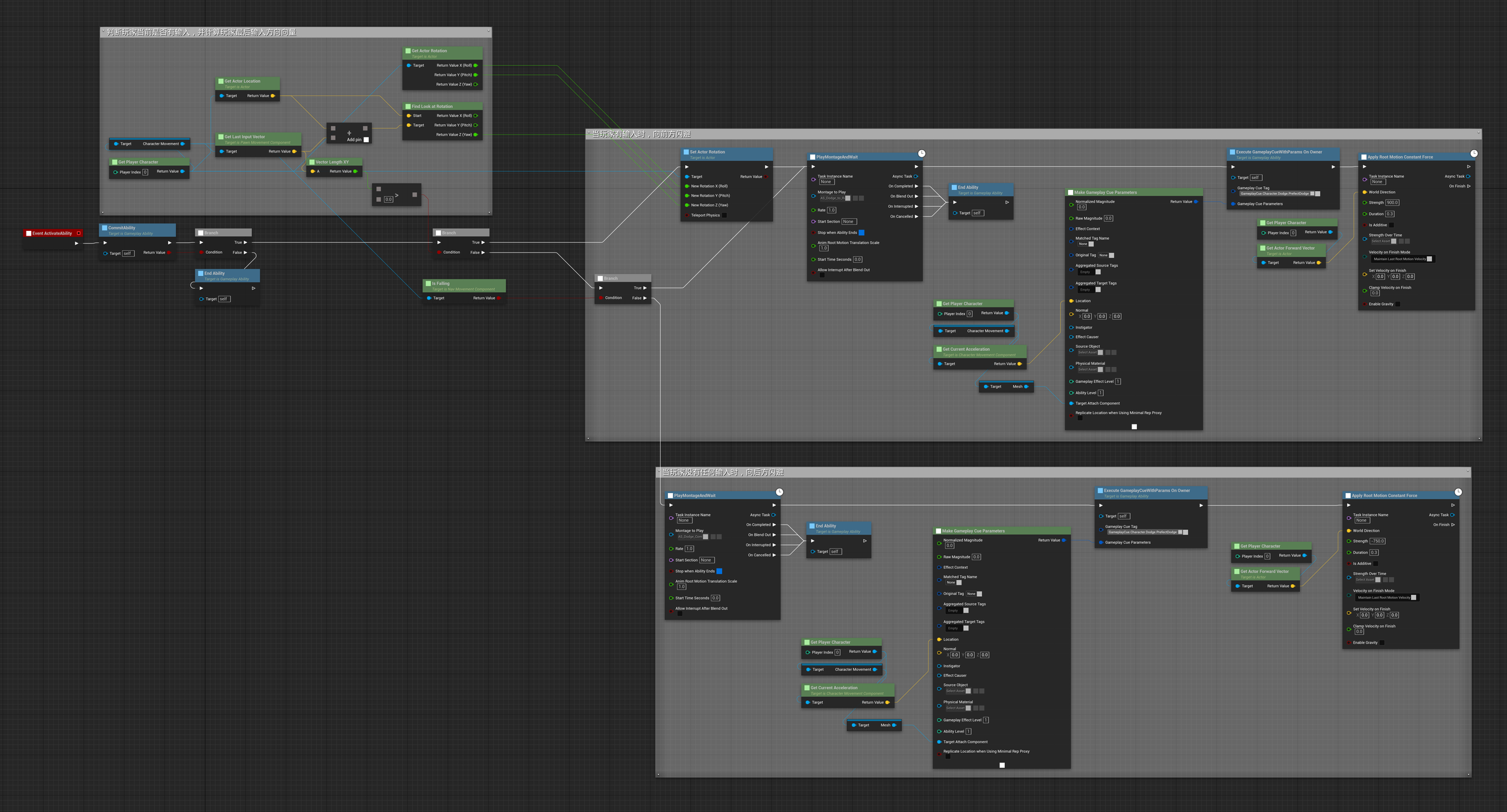
Section titled “1.3.3 Executing the Dodge Logic in GA_Dodge”After the ability activates, it first checks whether the player currently has directional input. If the XY length of the input vector is ≤ 0 and the character is not falling, the system treats the character as standing still. If directional input exists, the system calculates the last input direction, which determines the dodge direction.
Directional input → forward dodge: the player Actor is instantly rotated toward the previous frame’s input vector, ensuring that the dodge follows the player’s intended direction. The forward dodge montage is played, the position at the moment of input is captured for the Gameplay Cue, and the Apply Root Motion Constant Force node takes over the CharacterMovementComponent to apply a forward force for the configured duration.
Standing still → backward dodge: the backward dodge montage is played directly. The input position is captured for the Gameplay Cue, and Apply Root Motion Constant Force takes over the CharacterMovementComponent to apply a backward force for the configured duration. The backward dodge has a shorter displacement than the forward dodge, which is exactly why this node is useful: it allows the displacement profile to be tuned per case.
1.3.4 Playing Dodge VFX Through Gameplay Cue
Section titled “1.3.4 Playing Dodge VFX Through Gameplay Cue”Gameplay Cue owns all presentation-related logic and is triggered by GameplayCue Tags.
Gameplay Cues have two main forms: GameplayCueNotify_Static, used for one-shot effects such as muzzle flashes, and GameplayCueNotify_Actor, used for persistent effects that require ticking, such as trails.
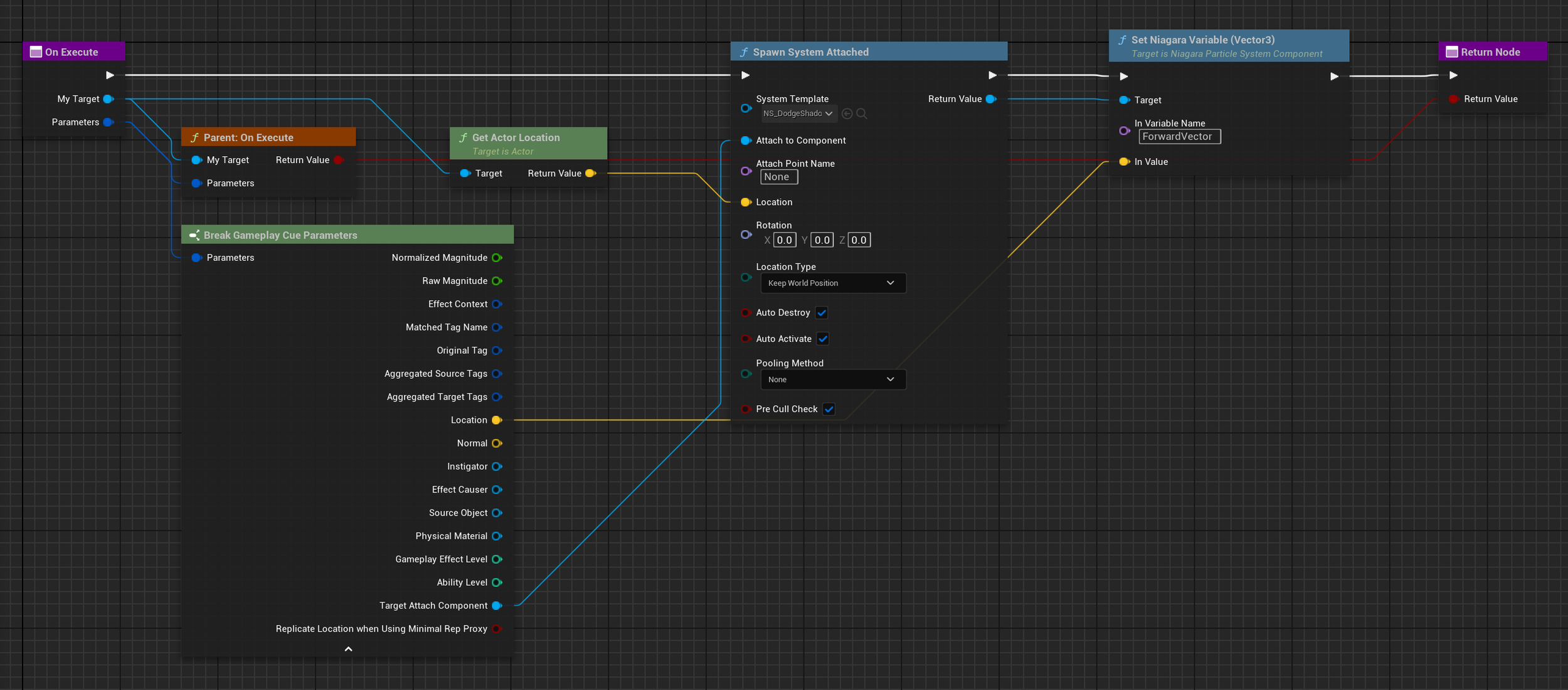
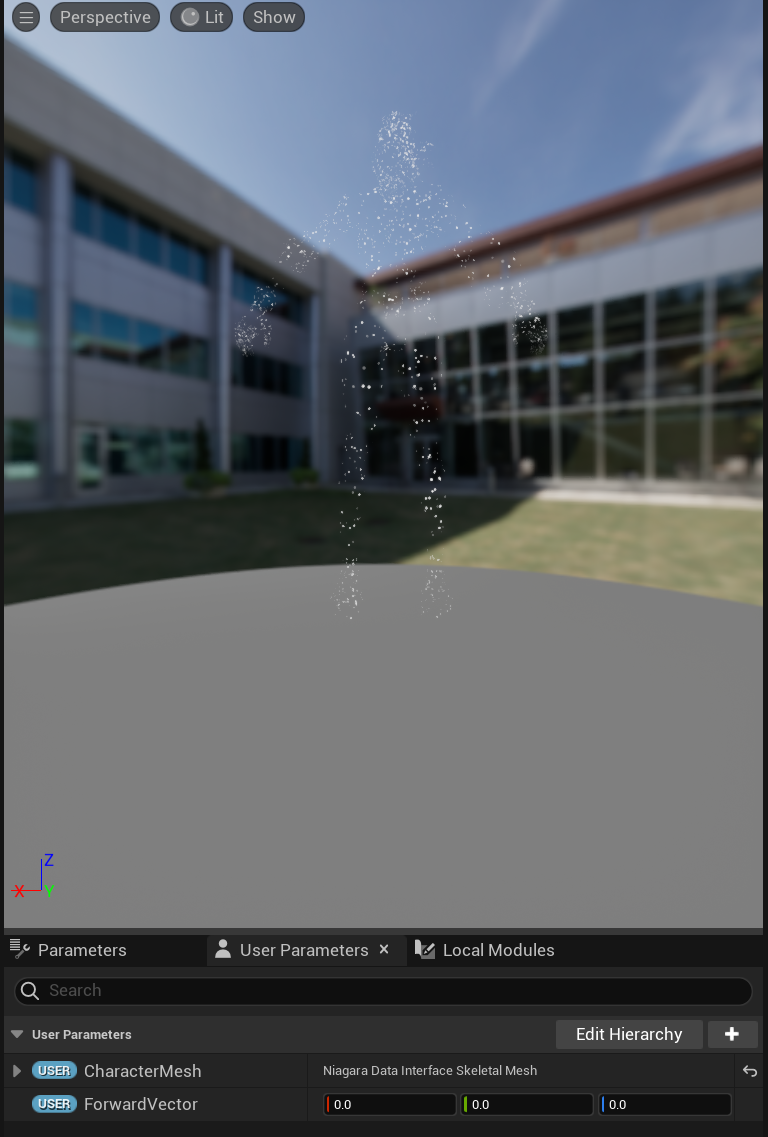
The dodge VFX Gameplay Cue obtains the GameplayCue location data and the instigator position, spawns a Niagara VFX with Spawn System Attached at the player position, and continuously follows the Actor position to create the trail effect.

1.3.5 Tag Management During GA_Dodge Execution
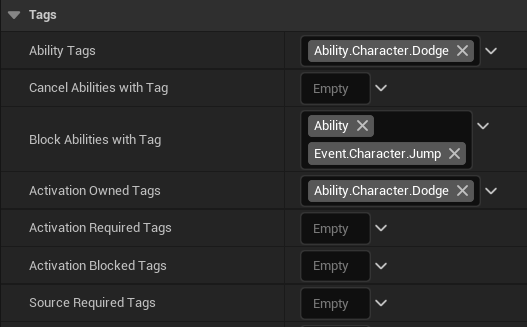
Section titled “1.3.5 Tag Management During GA_Dodge Execution”When GA_Dodge activates, the player receives the Ability.Character.Dodge Tag. The Tag is automatically removed when the GA ends.
BlockAbilitiesWithTag defines which Tags, and therefore which GAs, are blocked while this GA is active:
| Blocked ability | Effect |
|---|---|
All Ability.* | Attacks, including melee and ranged attacks, cannot be triggered during dodge. |
Event.Character.Jump | Jump cannot be triggered during dodge. |
1.3.6 Adding Stamina Cost and Cooldown Through GameplayEffect
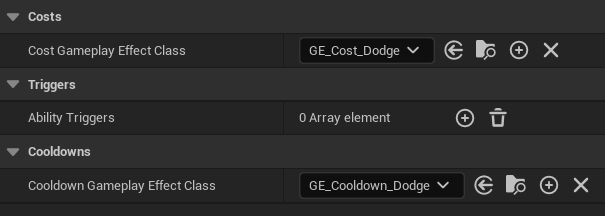
Section titled “1.3.6 Adding Stamina Cost and Cooldown Through GameplayEffect”At the same time, activating the ability triggers two Gameplay Effects: GE_Cost_Dodge and GE_Cooldown_Dodge.
1.3.7 Configuration of the Two GameplayEffects
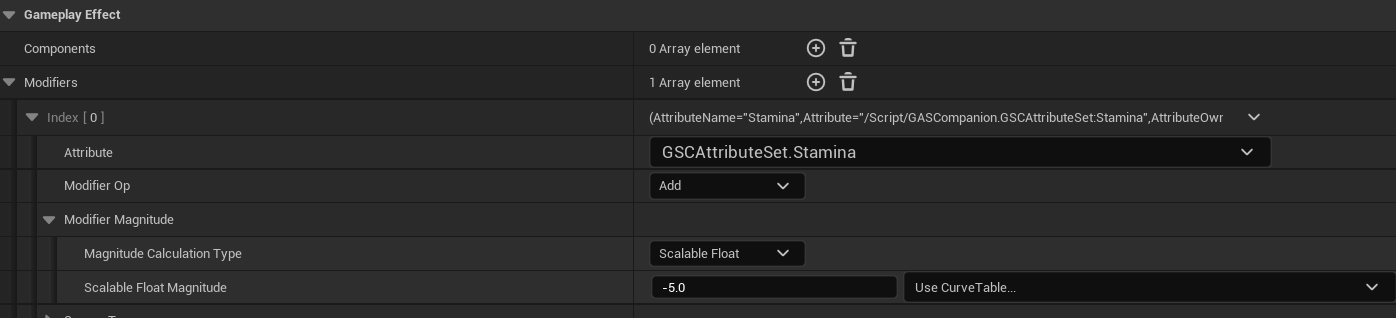
Section titled “1.3.7 Configuration of the Two GameplayEffects”- GE_Cost_Dodge: automatically triggered when the ability starts. It subtracts 5 from the Stamina Attribute defined in the first step.
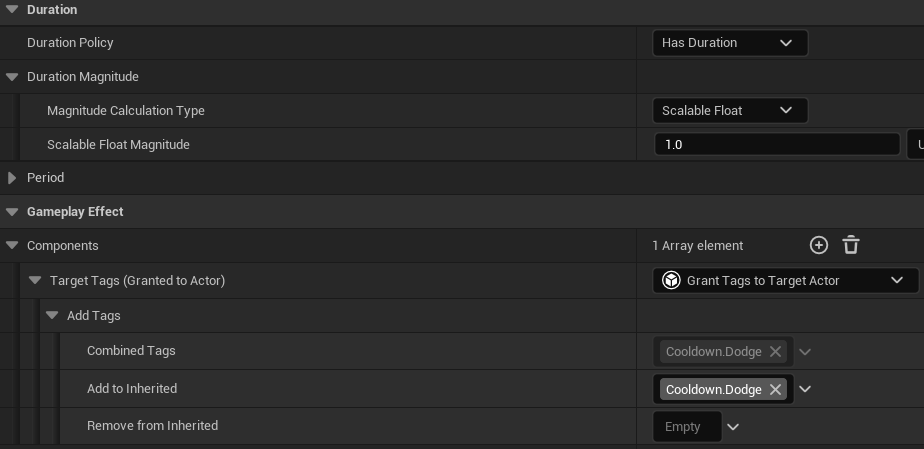
- GE_Cooldown_Dodge: applied during the Ability activation/Commit phase. It grants the player the
Cooldown.DodgeTag for 1 second. During this duration, GAs governed by the same Cooldown constraint cannot be triggered again.
1.3.8 Ability End
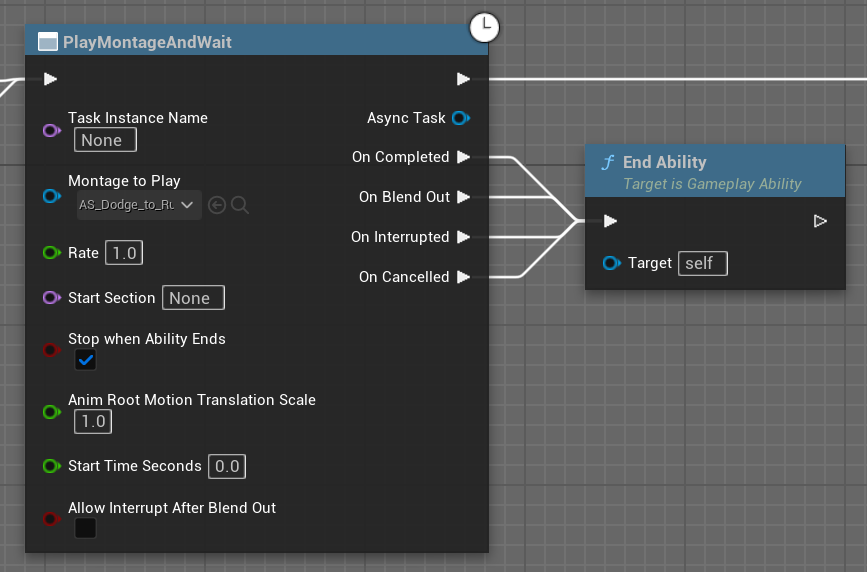
Section titled “1.3.8 Ability End”When the dodge montage finishes, blends out, is interrupted, or is cancelled, the GA ends. State Tags granted for the active duration of this Ability are removed. The cooldown has already been applied by GE_Cooldown_Dodge during the Ability activation/Commit phase and continues to block reactivation through the Cooldown.Dodge Tag.