Hit Feedback: Structure and Implementation
Sensory categories of action-game hit feedback, melee target acquisition and hit validation, and player-side and enemy-side presentation
This chapter starts from design theory, breaks down hit feedback in action games by sensory dimension, and uses melee attacks as a complete case study for target acquisition, hit validation, and two-sided feedback presentation.
3.1 The Components of Hit Feedback in Action Games
Section titled “3.1 The Components of Hit Feedback in Action Games”Visual Dimension
Section titled “Visual Dimension”| Category | Concrete Methods |
|---|---|
| Character animation | Anticipation and silhouette before attack, attack trajectory and weapon trail, recovery and inertia after attack |
| Hit feedback | Hit Stop / hit pause / hit freeze, tuned based on weapon weight, sharpness, and impact force |
| Hit reaction | Hit displacement and hit stun through reaction animation |
| Visual effects | Contact-point VFX such as blood, sparks, and dust, usually emitted opposite the hit direction |
| Environmental interaction | Ground or grass disturbance |
| Screen effects | Full-screen vignette and post-processing effects |
| Camera | Camera shake, aligned with the attack direction and scaled by damage; dolly, zoom, or special camera shots |
Auditory Dimension
Section titled “Auditory Dimension”| Category | Concrete Methods |
|---|---|
| SFX layering | Swing layer, impact layer with material differentiation and stronger low frequency for heavy hits, and reverb layer for spatial echo |
| Dynamic feedback | Pitch variation and special handling for critical hits |
Haptic and Control Dimension
Section titled “Haptic and Control Dimension”| Category | Concrete Methods |
|---|---|
| Controller vibration | Vibration hierarchy through intensity, directionality, and damping |
| Input and timing | Input buffering, which caches player input before the current action ends and chains into the next action by priority |
| Hit Stop | Hit Stop changes the rhythm of the player’s button input |
3.2 Melee Attack Example: Target Acquisition, Hit Validation, and Presentation
Section titled “3.2 Melee Attack Example: Target Acquisition, Hit Validation, and Presentation”3.2.1 Attack Startup and Target Capture
Section titled “3.2.1 Attack Startup and Target Capture”-
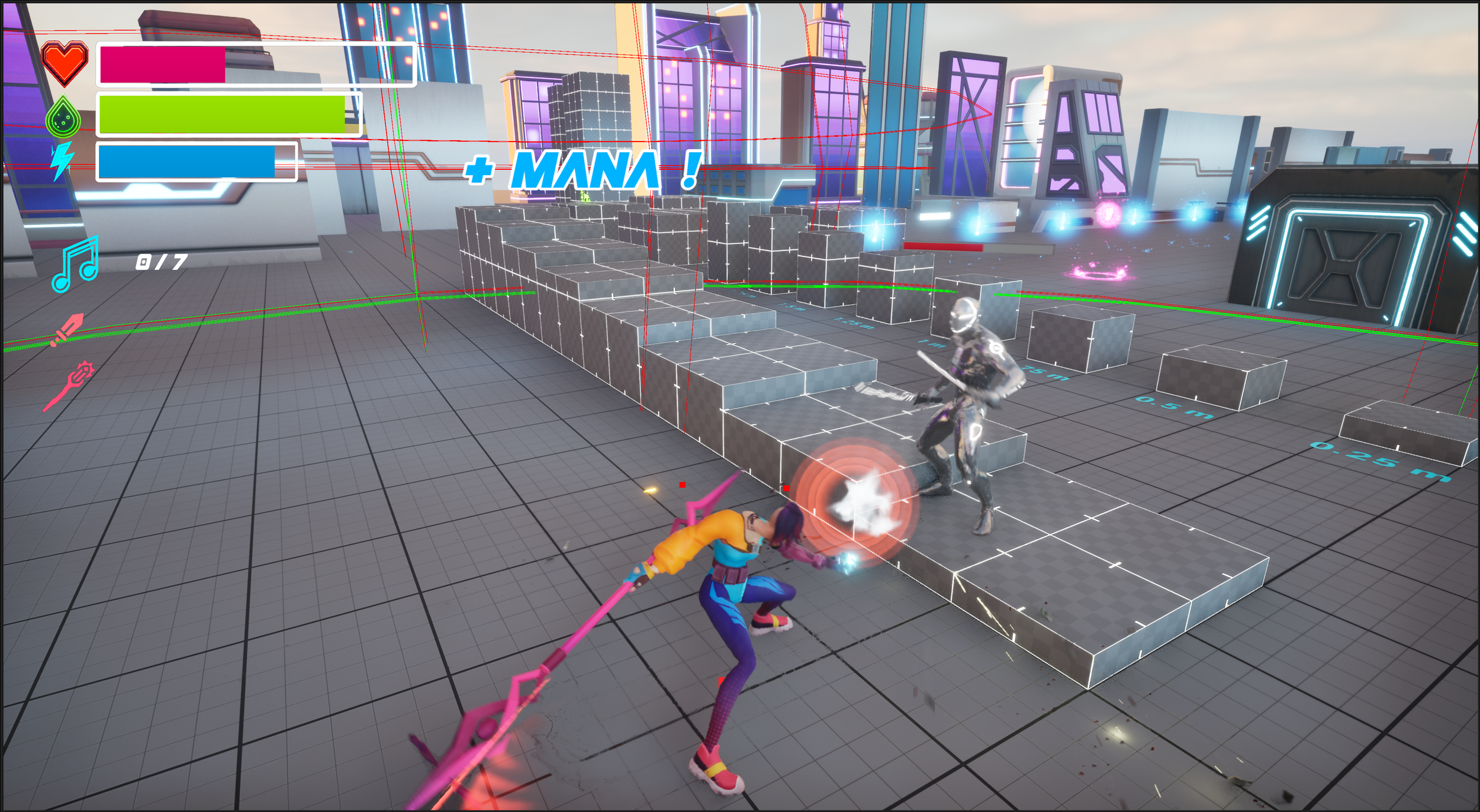
Trigger phase
The player’s left mouse input (
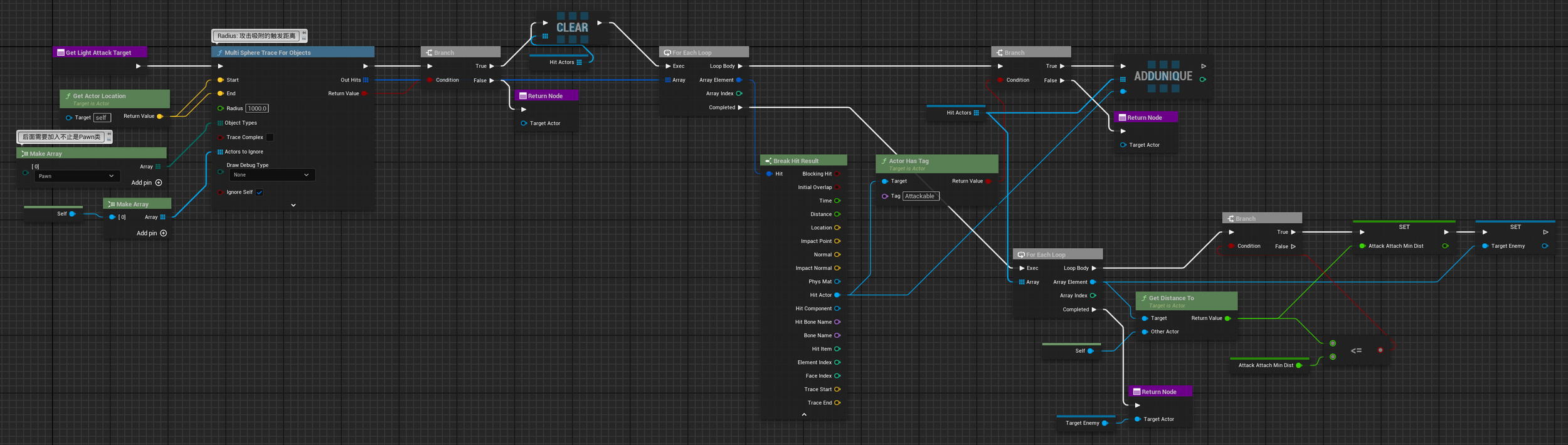
IA_LightAttack) activates the light attack Ability. The system starts the LightAttack ComboGraph and immediately executes theGetLightAttackTargetfunction to search for targets. -
Broad-phase filtering
A Sphere Overlap is executed around the character with radius x, collecting all Pawn Actors within range except the player. If no result is found, the function exits.
-
Fine-grained filtering (three-step filtering)
Step Content Tag check Removes Actors that do not contain the AttackableTag, filtering out allies and non-interactive objects. Remaining targets are added to the HitActors array.Distance validation Removes targets farther than AttackAttachMinDist(the actual in-project name; semantically it represents the maximum effective attack-magnetism range).Best-target selection Selects the Actor closest to the player as the final Target Actor.
3.2.2 Handling the OnHit Event
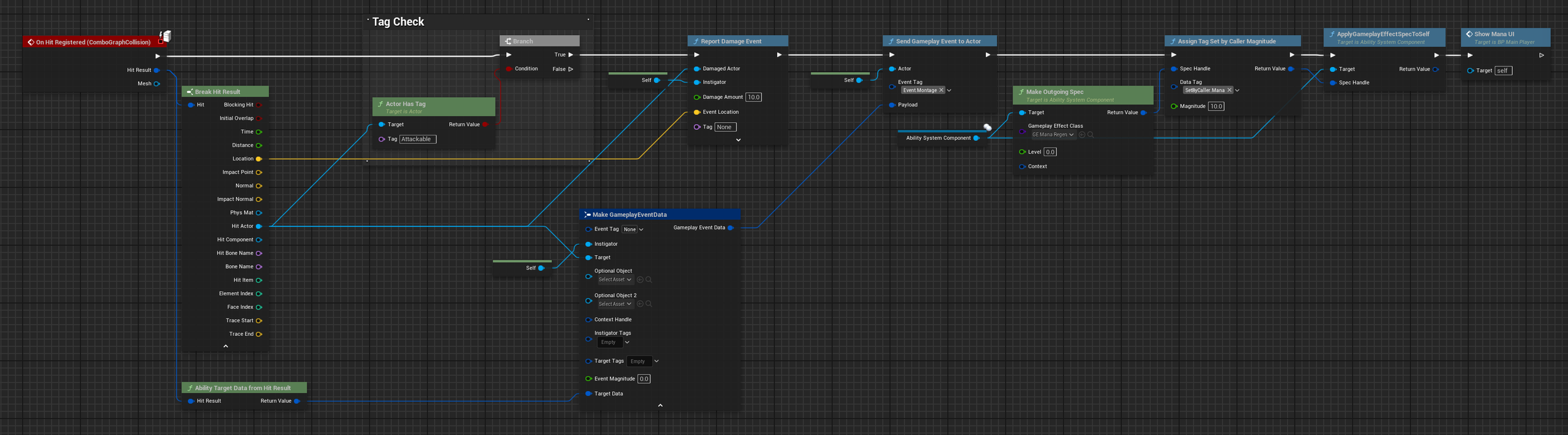
Section titled “3.2.2 Handling the OnHit Event”When ComboGraphCollision detects that the weapon detection volume overlaps an object, it broadcasts the On Hit Registered event and executes the following logic:
-
Target filtering
The Hit Actor is extracted from the Hit Result and checked for the
AttackableTag. Only Actors with this Tag, namely enemies, continue into the subsequent logic. Otherwise, the flow terminates immediately. -
Damage and event dispatch
After the target is validated, the
Report Damage Eventfunction is called with the victim, instigator, and damage value. -
GAS event payload construction
Make GameplayEventDatabuilds the event payload, andAbility Target Data from Hit Resultconverts the physical collision result into a data format GAS can consume. -
Sending the Gameplay Event
An event carrying the
Event.MontageTag is sent to the player itself (Self), notifying GAS that an attack has landed and triggering presentation-layer hit feedback. -
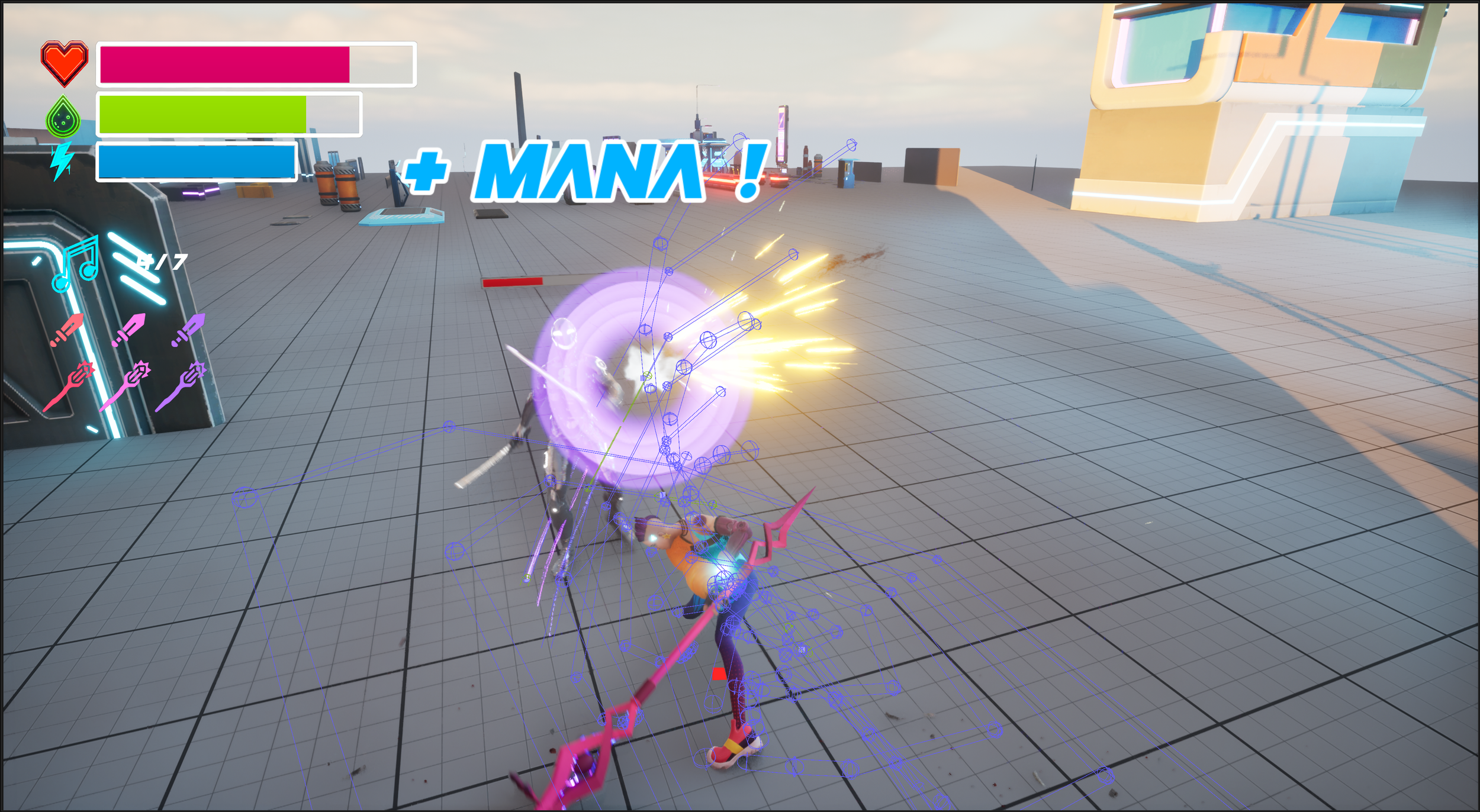
Resource refill: mana gain on hit
A GE Spec instance is created from
GE_Mana_Regen. TheAssign Tag Set by Caller Magnitudenode dynamically sets the recovery value through theSetByCaller.ManaTag. This avoids hard-coding the value inside the GE and allows different combo stages to tune the recovery amount independently. -
UI update
Show Mana UIis called so the UI can read the latest Attribute value and refresh the HUD mana bar.
3.2.3 Attribute and Tag Propagation After OnHit
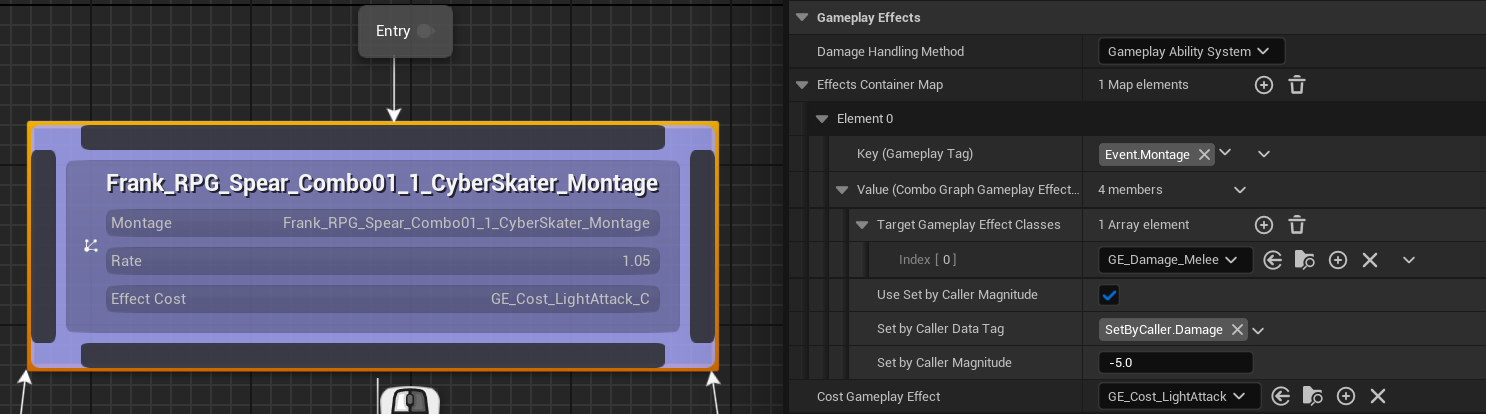
Section titled “3.2.3 Attribute and Tag Propagation After OnHit”After the character sends the Event.Montage Tag to itself, ComboGraph captures the event and executes the corresponding logic:
- Activates
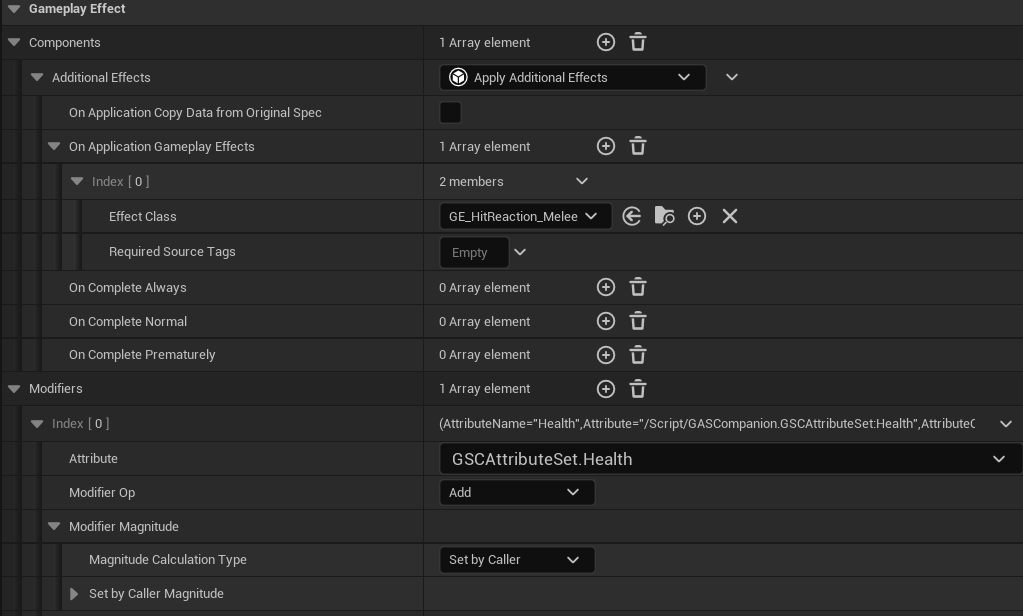
GE_Damage_Melee(GameplayEffect), which internally activatesGE_HitReaction_Meleeand modifies the Health Attribute. The value is Set by Caller, namely -5.0 as configured in ComboGraph. - Activates
GE_Cost_LightAttackto consume stamina for this attack stage.
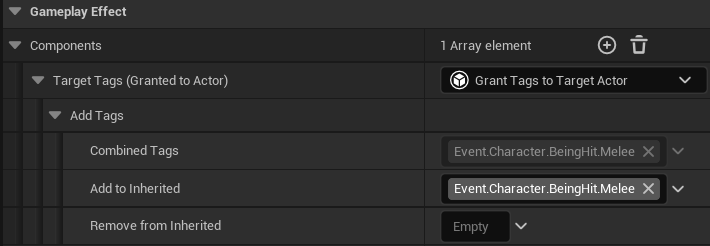
GE_HitReaction_Melee grants the target Actor, the hit enemy, the Event.Character.BeingHit.Melee Tag, which activates that Actor’s hit-reaction GameplayAbility.
3.2.4 Player-Side Hit Feedback Implementation
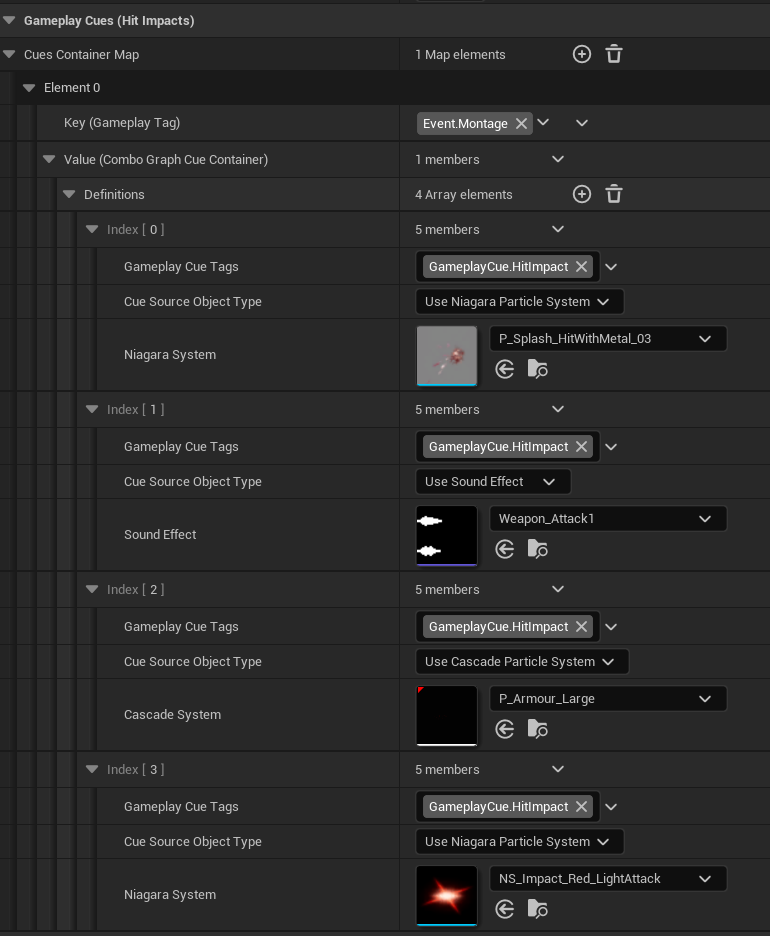
Section titled “3.2.4 Player-Side Hit Feedback Implementation”After the player character receives the Event.Montage signal, it executes GameplayCues to present player-side hit feedback:
| GameplayCue | Effect |
|---|---|
| Blood splash VFX | Blood VFX at the impact point |
| Spark VFX | Weapon collision sparks |
| Impact-point feedback VFX | Visual feedback at the Impact Point |
| Hit SFX | Character-side audio feedback for a landed hit |
3.2.5 Enemy-Side Hit Feedback Implementation
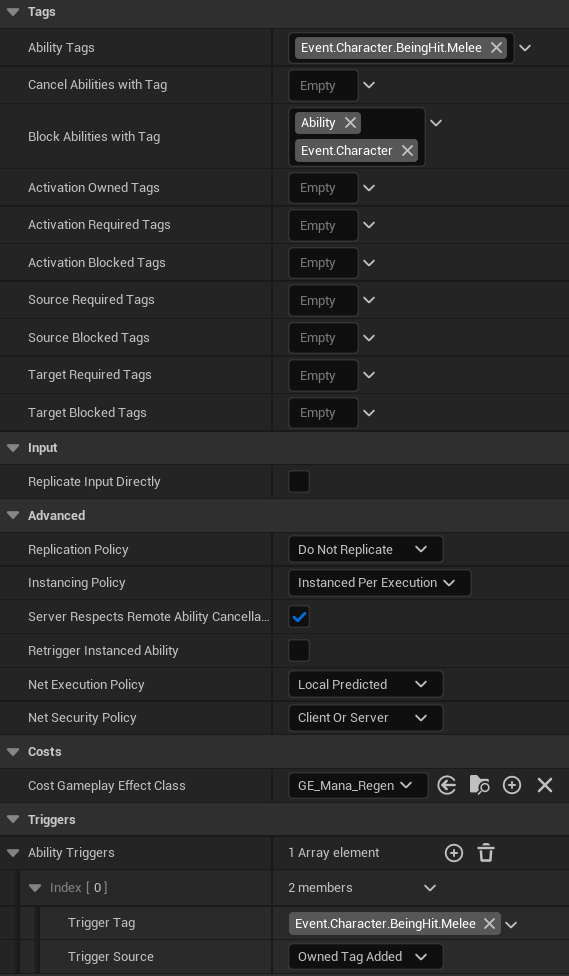
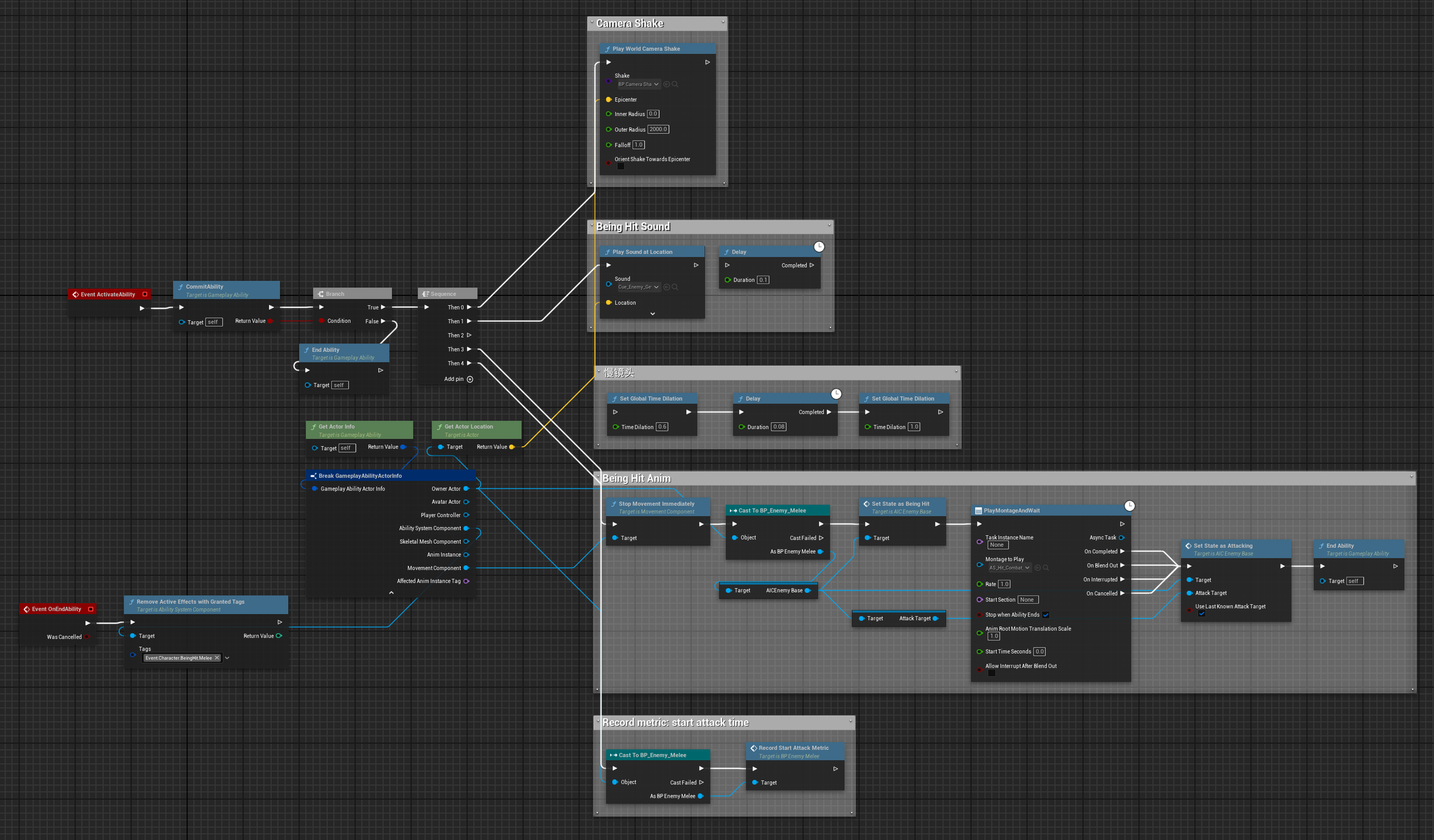
Section titled “3.2.5 Enemy-Side Hit Feedback Implementation”After the target character receives the Event.Character.BeingHit.Melee signal, it executes GA_HitReaction_Enemy_Melee, which is triggered by the specified Tag.
The current GA contains the following hit feedback elements:
| Effect | Description |
|---|---|
| Camera shake | Camera Shake |
| SFX playback | Hit reaction sound |
| Slow motion | Brief time dilation |
| Hit Stop | Frame freeze to emphasize impact force |
| Hit reaction animation | Hit stun and displacement |