Motion Warping
A UE5 Motion Warping based melee attack magnetism system, implementing procedural Root Motion correction and automatic target tracking
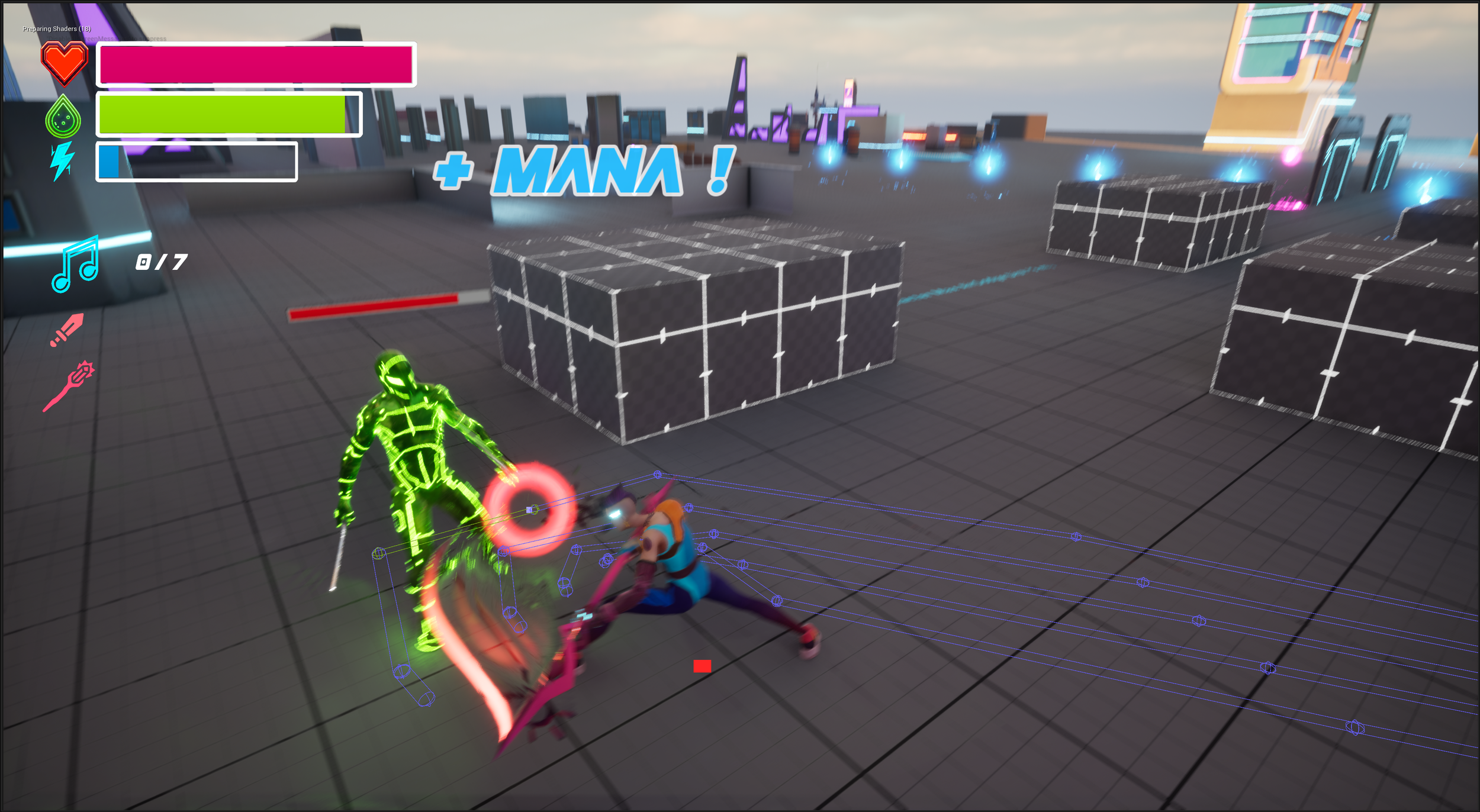
This chapter introduces the principles of Motion Warping, explains the technical rationale for using it, and uses melee attack magnetism as a complete case study, covering the implementation flow from data construction to dual-track montage coordination.
5.1 What Is Motion Warping?
Section titled “5.1 What Is Motion Warping?”Motion Warping is a UE5 feature: a procedural animation system for dynamically modifying Root Motion. It allows a fixed-displacement animation to be warped to any target location and rotation in the game world. Without changing the animation duration or pose, it can dynamically stretch or compress the character’s displacement trajectory to match the character’s actual movement.
-
Root Motion takeover: Motion Warping is essentially a real-time mathematical correction of Root Motion. It does not alter hand or foot IK through Control Rig. Instead, it acts directly on the character capsule. It works by calculating the delta between the current location and the Warp Target, then smoothly distributing that delta across each animation frame.
-
Time-window-based control: Motion Warping uses Anim Notify State to define an active window. Warping only takes effect when the animation plays through that window, such as from attack startup to the hit frame. This ensures that the character keeps natural physical movement during phases where magnetism is not needed, such as recovery.
If Control Rig is a micro-level correction that lets the feet adapt to the ground or the hands reach a specified point, Motion Warping is a macro-level displacement correction that lets the body adapt to a target. It solves the classic action-game problems of attack sliding and whiffing at close range, allowing the character to align precisely with interactive targets.
5.2 Why Use Motion Warping?
Section titled “5.2 Why Use Motion Warping?”Design dimension: the project is positioned as a high-speed action game. The core combat experience is fluidity and impact, so the design intentionally weakens the spatial challenge while emphasizing timing. With Motion Warping and automatic target acquisition, as long as the player presses attack within a reasonable range, the character can automatically correct displacement and magnetize toward the target. The player’s primary challenge becomes when to start combat and when to dodge: the timing dimension. Here, “weaker spatial challenge” is a design direction, not a reduction in system precision. On the contrary, it requires target acquisition, landing-point calculation, and Root Motion correction to be more stable so the magnetism result remains predictable.
Advantages of Motion Warping:
| Advantage | Description |
|---|---|
| Footstep adaptation | Procedurally stretches the Root Motion curve. Combined with Stride Warping, see Animation System 4.3.3, footstep length adapts automatically. |
| Dynamic tracking | Tracks moving targets in real time. Even if the enemy moves during attack startup, the landing point updates dynamically. |
| Asset reuse | One standard attack animation can fit most situations, reducing animation production pressure. |
5.3 Melee Attack Magnetism: Motion Warping Implementation
Section titled “5.3 Melee Attack Magnetism: Motion Warping Implementation”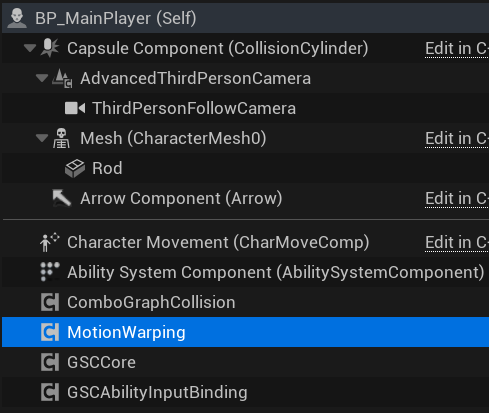
5.3.1 Target Data Construction — LightAttackMotionWarping Function
Section titled “5.3.1 Target Data Construction — LightAttackMotionWarping Function”The LightAttackWarping function is located in the main character Blueprint, BP_MainPlayer. It calculates the magnetized landing point for light attack Motion Warping.
Motion Warping does not decide which enemy is the target, so the logic first retrieves the Target Actor from the melee attack target-acquisition system and checks whether it is valid with an Is Valid node. The flow then branches into two cases:
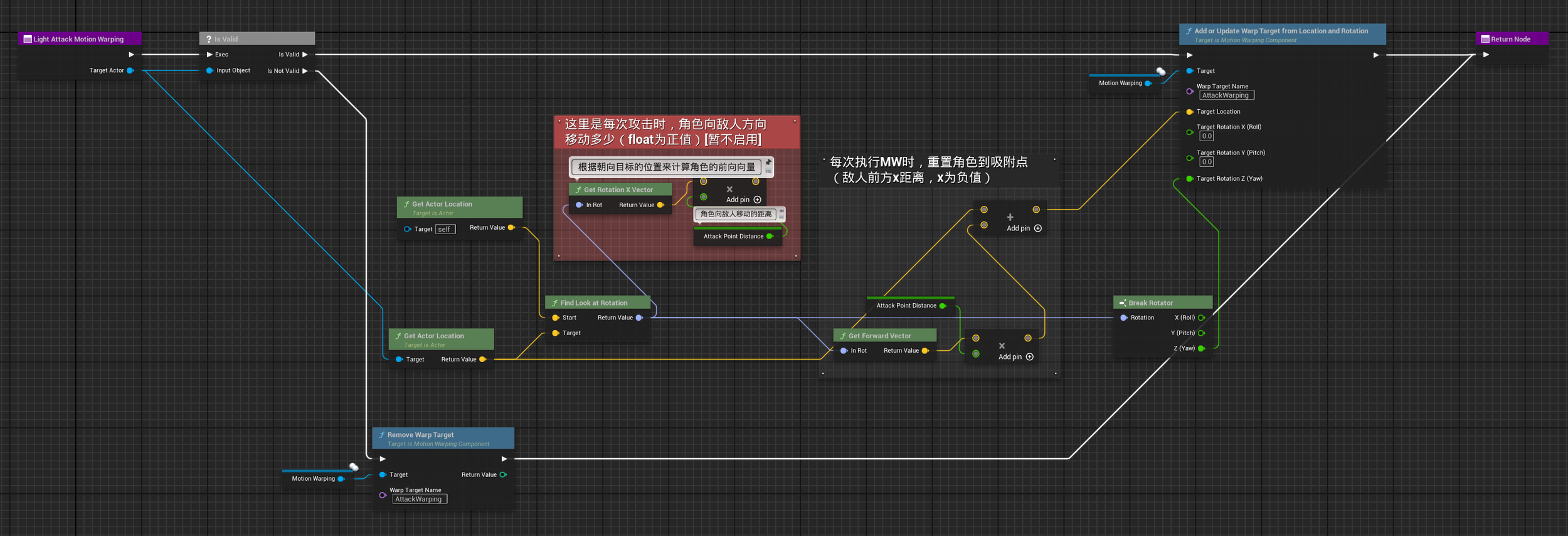
A. Target exists: calculate the landing point. The logic computes an “optimal attack position” as the magnetism target, rather than moving directly into the enemy body and causing clipping.
- Rotation calculation:
Find Look at Rotationcalculates the rotation from self to target, ensuring that the character forcibly faces the enemy when attacking. - Location calculation: magnetized location = target location + (forward vector × attack distance correction). First, the forward vector from the character toward the enemy is obtained. It is multiplied by
Attack Point Distance, usually a negative value and-150in this project, producing a vector from the enemy position back toward the player. Adding this vector to the enemy’s coordinates yields a point 150 cm in front of the enemy. - This ensures that the character magnetizes to a valid attack range in front of the enemy, while preserving space for the weapon swing, namely the Attack Point Distance.
- Submitting the data: the core Motion Warping node
Add or Update Warp Target from Location and Rotationis called, with the Warp Target Name set toAttackWarping. In the later animation montage configuration, the Motion Warping system resolves the Warp Target through this same name.
B. No target: remove the data. When no Target Actor exists, the AttackWarping data is cleared.
Calling Remove Warp Target immediately clears the AttackWarping target data. This prevents the system from accidentally using stale data from the previous attack, which could otherwise cause the character to fly toward the position of an enemy that was just hit and is already dead.
5.3.2 Logic Trigger and Lifecycle — ANS_AttackMotionWarping_Light
Section titled “5.3.2 Logic Trigger and Lifecycle — ANS_AttackMotionWarping_Light”To control magnetism timing precisely, I created a custom Anim Notify State responsible for managing the Motion Warping lifecycle. It ensures that the data is kept up to date while needed and cleaned up when the window ends.
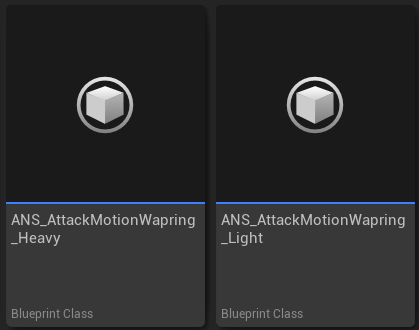
Activation moment: real-time data refresh (Received Notify Begin)
When animation playback enters the first frame of this notify state, it reads the currently locked Target Enemy and calls the Light Attack Motion Warping function to update the Warping landing point.
This call solves the timing-gap problem. The enemy may have moved during attack startup. Recomputing the landing point at Notify Begin ensures that the character magnetizes toward the enemy’s latest position, greatly improving hit accuracy.

End moment: state cleanup and reset (Received Notify End)
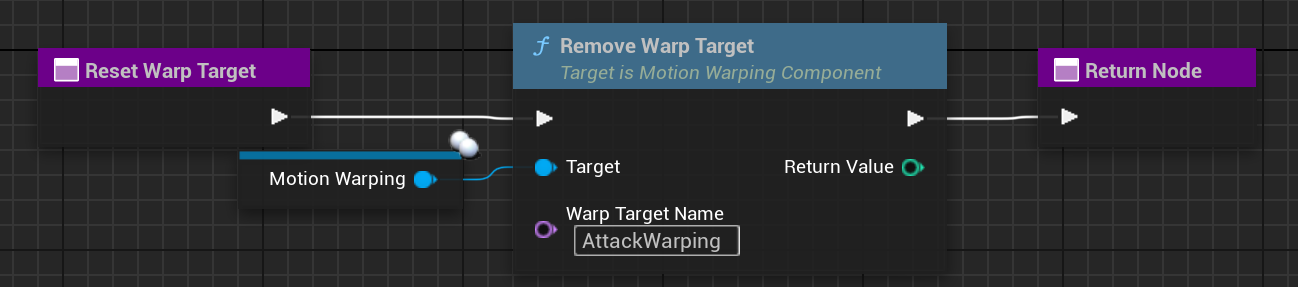
When animation playback exits the notify state’s range, Received Notify End is triggered and calls the Reset Warp Target function.
After the attack segment ends, Reset Warp Target immediately releases the lock and resets the Motion Warping target data for the next combo segment. Explicitly calling Reset guarantees that each attack is independent and safe.

5.3.3 Animation Montage Configuration and Track Coordination
Section titled “5.3.3 Animation Montage Configuration and Track Coordination”The final step of implementing Motion Warping is configuring the animation montage. This is where logic and visual presentation are integrated. The main task is to add specific notify states to the montage’s notify tracks to define the precise time window in which warping occurs.
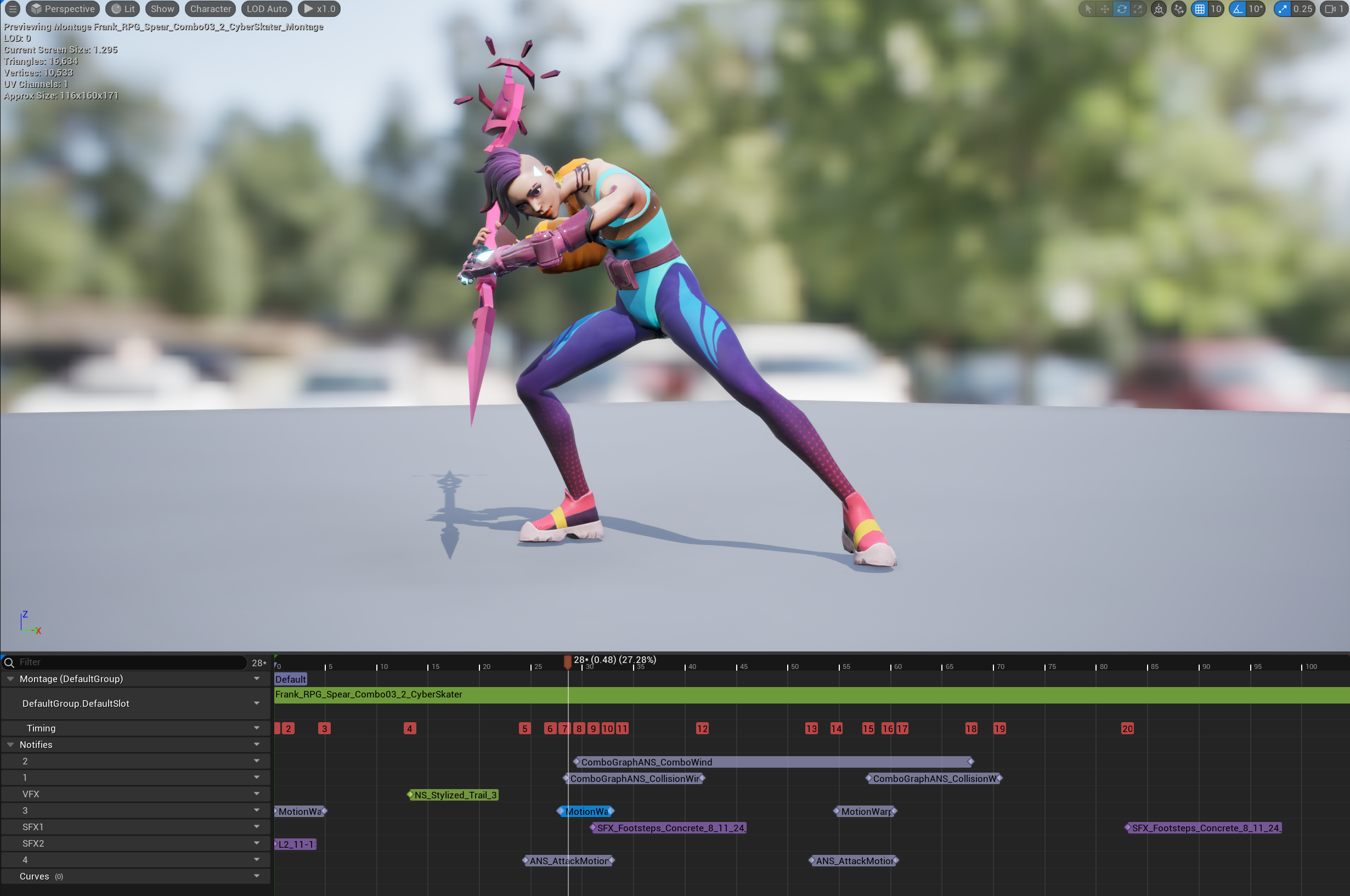
Built-in Motion Warping notify (track 3: MotionWarping)
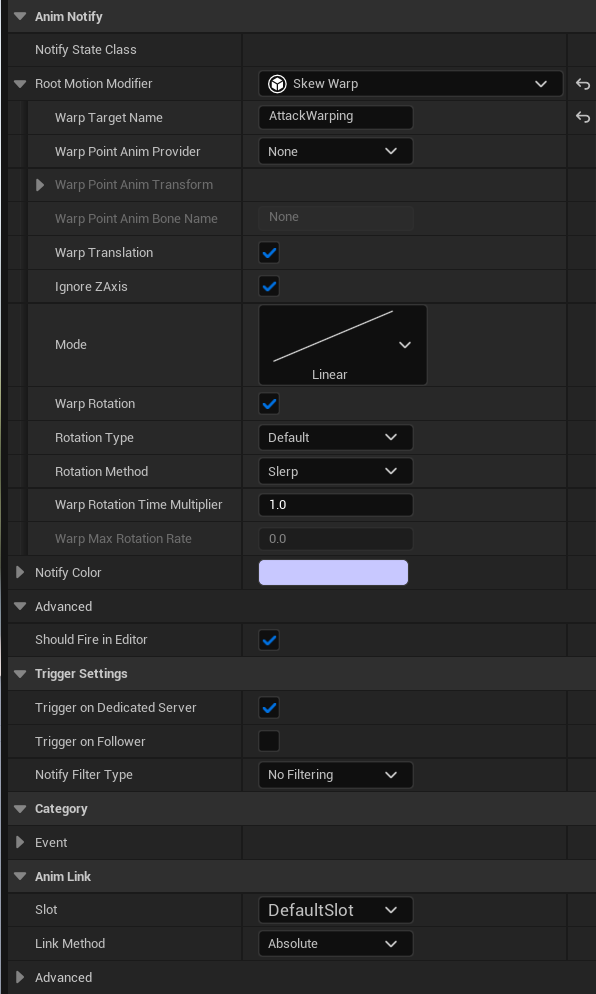
Track 3 uses the engine’s built-in MotionWarping notify state. It drives the actual Root Motion warping through a Root Motion Modifier.
In the configuration, Warp Target Name (AttackWarping) is the most important setting. It must exactly match the target name set in Blueprint in section 5.3.1. It acts as the parameter key between the logic layer and the presentation layer.
The Root Motion Modifier is set to Skew Warp. In the Lyra architecture, this mode is often used for melee attacks that require both translation and rotation correction.
Custom logic lifecycle (track 4: ANS_AttackMotionWarping_Light)
Track 4 contains the custom notify state ANS_AttackMotionWarping_Light, implemented in section 5.3.2.
This notify state’s window usually starts slightly earlier than, or at the same time as, the warping displacement window on track 3. It triggers the calculation function at Notify Begin and continuously refreshes the target’s latest coordinates while the animation updates. This ensures that when track 3 performs displacement, the Warping location stays synchronized with the enemy’s movement trajectory and preserves the best predicted attack point.
Benefits of the dual-track design: logic and execution decoupling
- Real-time and precise: track 4 finds the target and refreshes coordinates in real time, while track 3 smoothly pulls the character toward that location. This separation of responsibilities makes attack magnetism feel physically motivated while preserving strong landing-point accuracy.
- Decoupled debugging: by adjusting the start and end positions of the two notify states in the montage, magnetism speed and timing can be tuned visually. Presentation adjustment is decoupled from the logic implementation.